Introduction to Watchly
How Watchly can help monitor changes you ship to production and take control of your deployments.

What changes did we deploy to production most recently, and when was that?
If you’ve asked (or been asked) this question, you already understand the problem I am about to describe in this post.
Deployments observability
In the teams I’ve worked in, we ship changes through layers of CI/CD pipelines such as GitHub Actions workflows. Deployments are “somewhere in there”, but when you actually need to know what changed for users, you find yourself browsing through a long list of commits, or releases, if you’re lucky.
This also does not tell you whether the release made it to production, whether it’s healthy, or whether it was rolled back. What’s missing is deployments observability.
Why tracking deployments change matters
All the incidents I have been involved in had the exact same root cause. Something changed, somewhere, at some point. The challenge is to figure out where and when. If you’re in luck it’s a system you have control over.
How do you figure out what changed is the real question. In the past, I’ve been browsing releases for different services, manually checking feature flags changes. It’s tedious and time consuming.
This problem becomes even more relevant when you have implemented automated deployments as the pace of changes increases. Thanks to AI tools, we’re shipping more and more, and it’s about time we start tracking what we push in front of our customers and when.
Deployments tooling
Besides deployment observability, I’ve repeatedly had the need for tooling to manage deployments, especially after you’ve automated them. The most critical pieces being:
- Knowing what version is currently live in the system and when it was released
- How healthy that deployment is (ranging from error rate to latency)
- A way to quickly rollback to a previous healthy release
- A way to pause (freeze) automated deployments
These requirements are born out of real-life experiences (mostly incidents) and slowly became critical infrastructure.
At some point, Mohit and I realized we were rebuilding the same thing across teams and companies, so we decided to turn it into a product.
Watchly is that product: a single place to see what changed for your users across your services and offering the deployments tooling you need.
Connecting repositories and deployments
We wanted to make it as easy as possible to connect services and deployments so we integrated natively with GitHub through an App to get access to repositories you want to monitor deployments for. This type of integration should be familiar to you if you’ve connected GitHub repositories in the past to services like Vercel or Netlify.
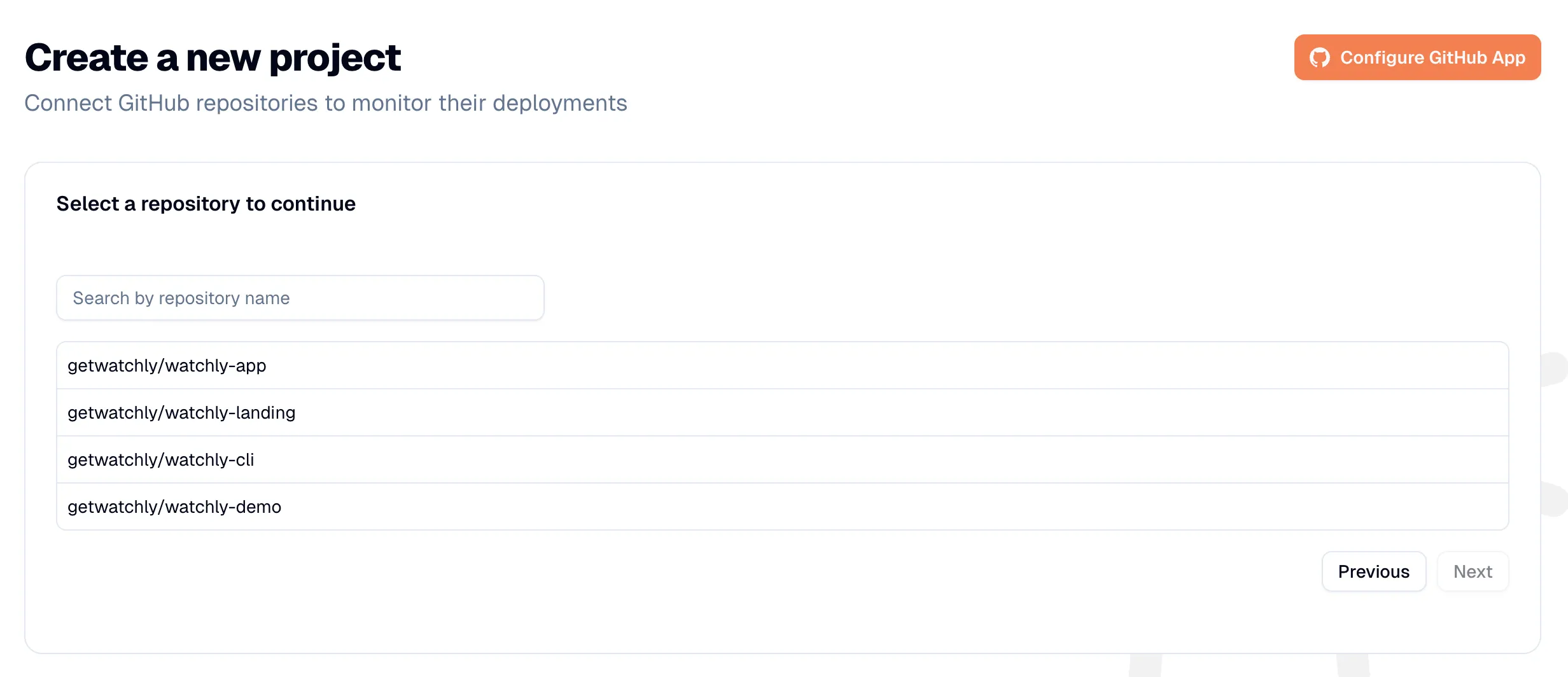
Once you’ve connected a GitHub repository, we give you inline instructions on how to start registering deployments. Mohit had this brilliant idea to develop a CLI to help abstract some of that and make it simple to integrate. The CLI is developed in Go which offers great portability.
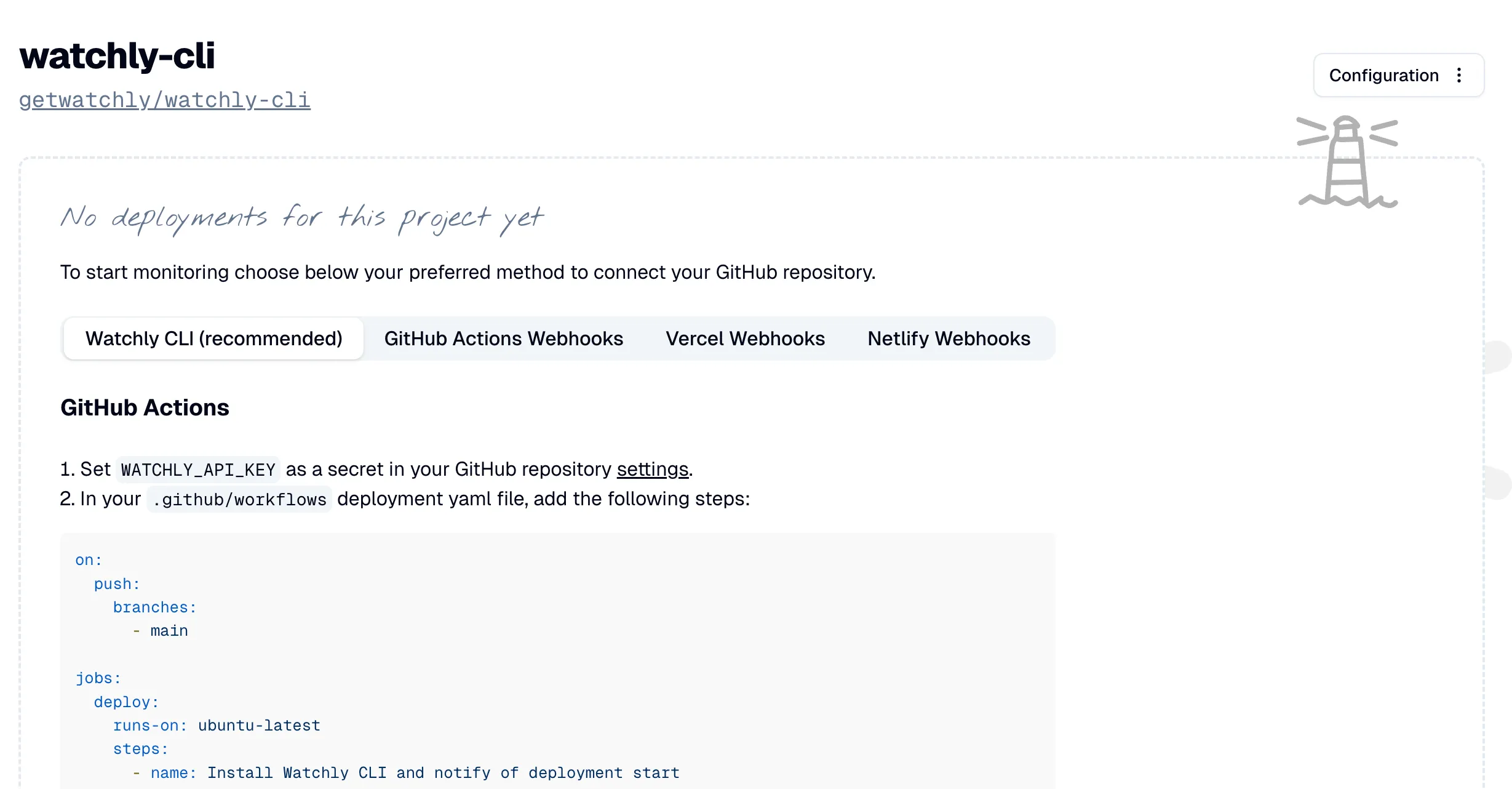
From there all you need to do is add the steps outlined to your GitHub Actions workflow like we did in this demo and you should be able to see deployments:
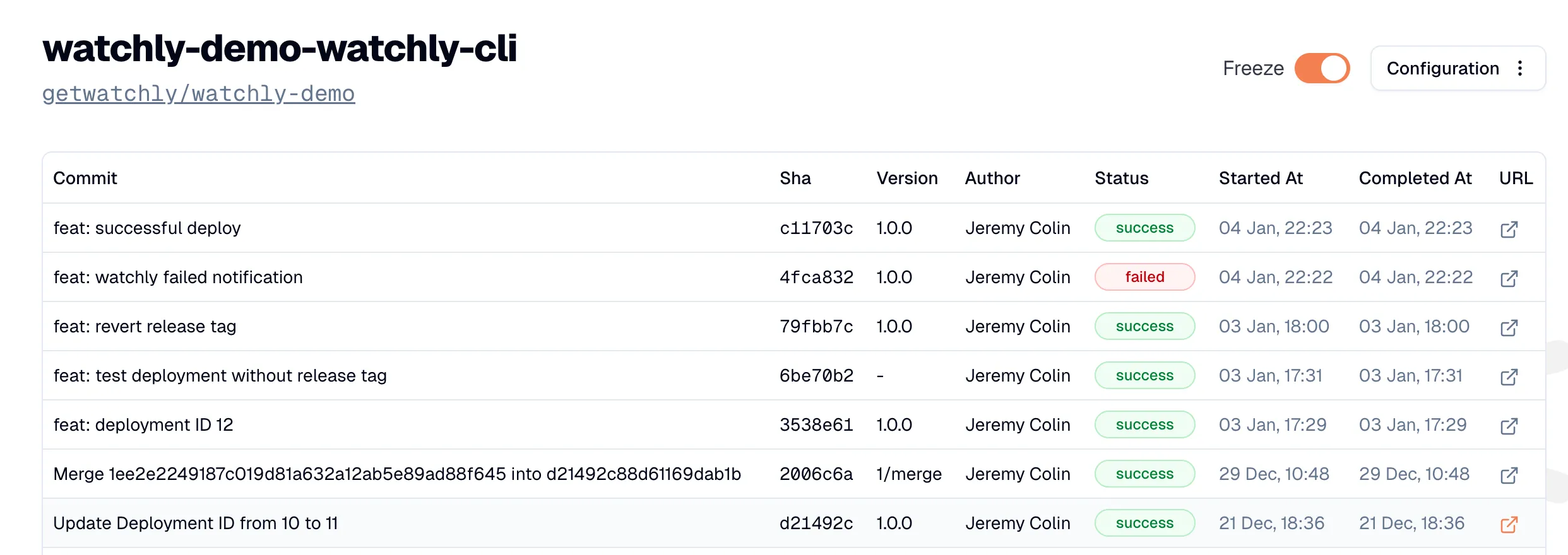
Managing deployments
We did not stop at listing deployments, we built the features we’ve been needing over the years. The first one being a rollback strategy. Right now, it is just a link to your rollback procedure but it already gets you 95% of the way there as during an incident response, what matters is that the incident responder knows what to do and how. This provides them with a crucial clue.
We’ve also added support for deployments notifications, both on deployments success and failures to keep the team and stakeholders informed. Right now we only support Slack but we built it in a modular enough way to be able to extend it.
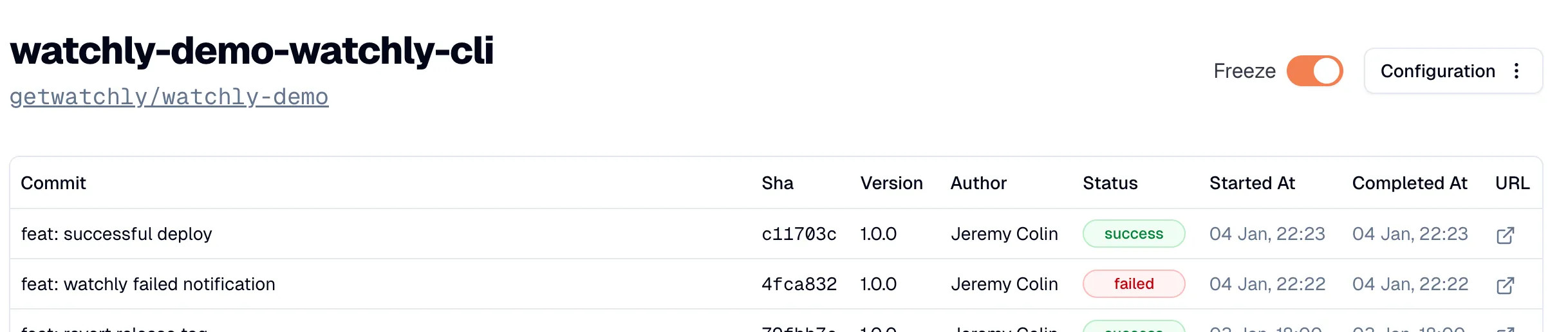
The most important capability we added is the possibility to pause (freeze) deployments. I believe that long deployment freezes are not a best practice as the risks of releasing a large set of changes at once often outweighs multiple spread out deployments. However there are concrete use cases for deployment freeze:
- Incident mitigation: if you rollback to a previous working version, you do not want to re-deploy and override the rollback.
- Critical business events such as Black Friday or high-stakes customer events or deployments.
With Watchly we’ve made it extremely simple to freeze deployments thanks to our CLI and a toggle in our deployments view:
These are simple features that are easy to adopt and which provide tons of value!
Try Watchly
Watchly is our attempt to make software change observability practical and easy for teams of any size: clear visibility into what changed, quick paths to roll back, and a simple way to freeze deployments when it’s critically needed.
If this resonates with how you ship software, we’d love for you to try it and tell us what you think.
Watchly is free for personal accounts. Monitor your deployments now in a couple of minutes.
