You don't need global state
For most frontend apps, you no longer need a global state library, here is why!

You no longer need a global state library.
I recently came across this tweet from Christoph Nakazawa, the creator of Jest, Metro and Yarn among other things. Christoph used to work at Meta and has been a long advocate for Relay, a performant graphQL client for React focused on scale and maintainability.
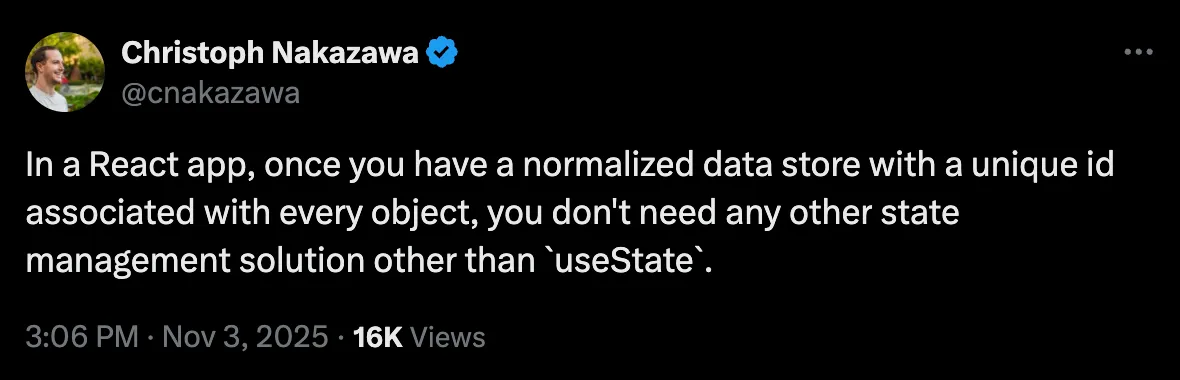
This got me thinking about the times when I used Relay for a large front-end application. Even though the app was quite complex, it turned out that we never needed a state management library.
And this is not specific to graphQL. Recently I’ve been working on Watchly, a project I plan to release soon with a RESTful API, and I came accross a similar conclusion.
What you need is a comprehensive data fetching library which lets you subscribe to the data you need, dedupe your calls, perform mutations and potentially a bit more depending on your requirements.
Wait, but why?
Let’s look at a simple example to explain why. I know these libraries cover much more complex use cases, but this example helps illustrate the point.
Suppose you have a website with a settings page where you can change your settings such as your team name. On all pages, including this one, you also have the team name visible on the top left. It might look something like this:
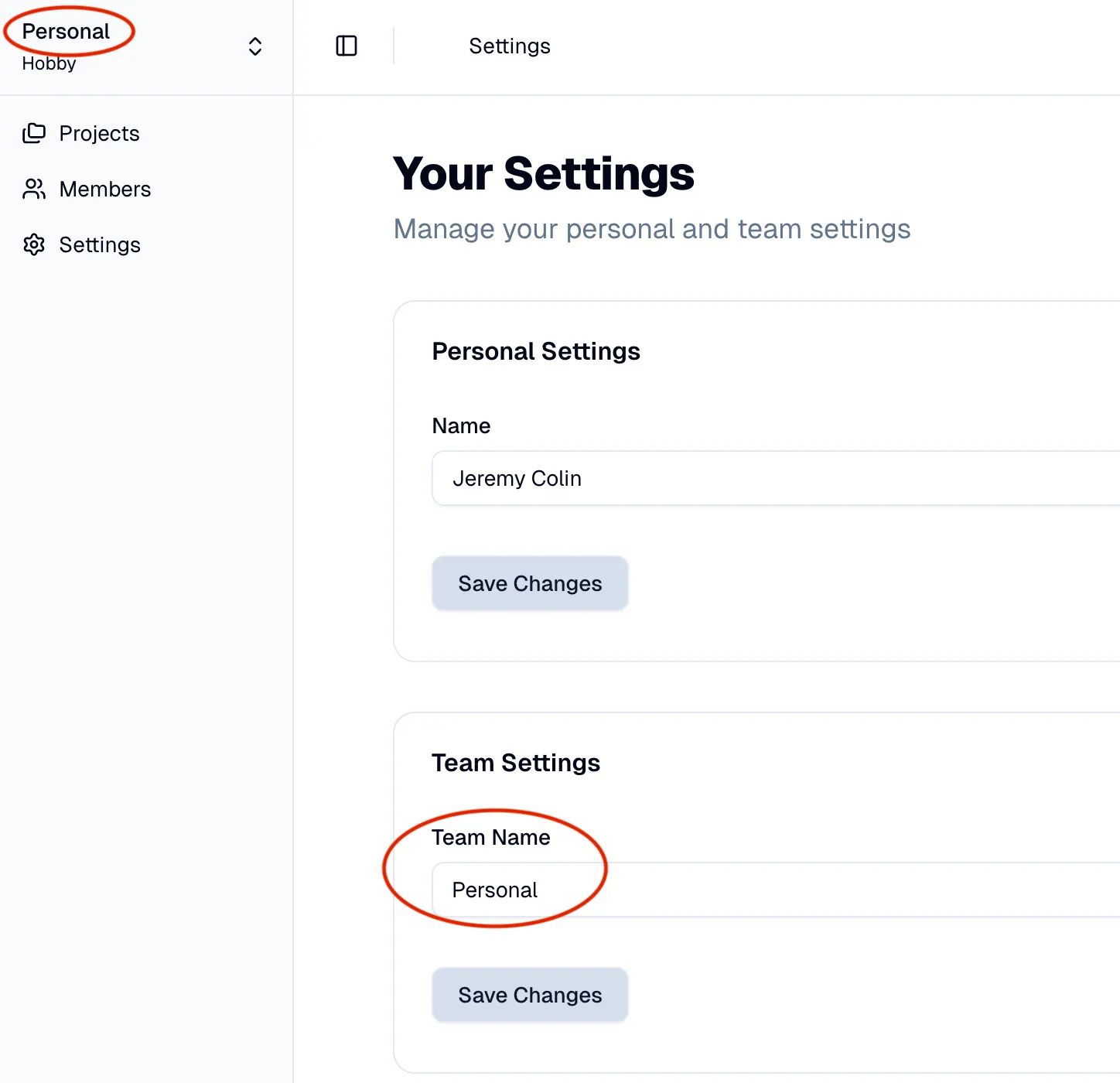
The problem is simple: when you update your team name through the editable input field, you want it to be immediately reflected on the top left.
The obvious solution is to centralize your data fetching, put the team name in some kind of state and once you hit save and receive an OK API response, update your state, easy!
Well, this new state has to “live” somewhere, that’s at extra construct, for example a React hook that you have to manage and which is now a dependency of both components displaying the team name. Another caveat is that now you have to architect your code around this state diffusion pattern.
That’s precisely the kind of use cases that Relay solves well for graphQL. With both fragments requesting the team name data alongside its node id, any update (mutation) to the team name node with the same id will automatically update and re-render views that requested its data, updating the team name in the top left.
But you don’t need Relay or even graphQL to achieve similar results and in fact, most of the time, you also do not need a normalized store with unique IDs.

The age of TanStack Query
TanStack Query is a modern data fetching library which also describres itself as an asynchronous state management. It has built-in support for the use case described above with none of the downsides.
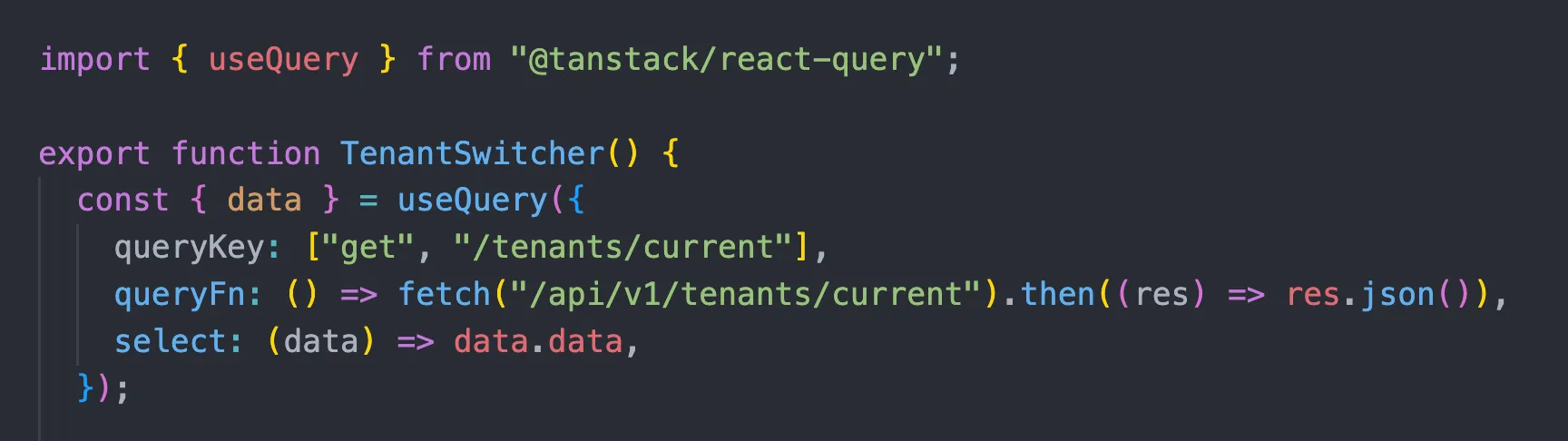
With React for example they provide you with a generic hook to fetch your data. For the use case described above, I use it both on the team switcher:
And the form settings:
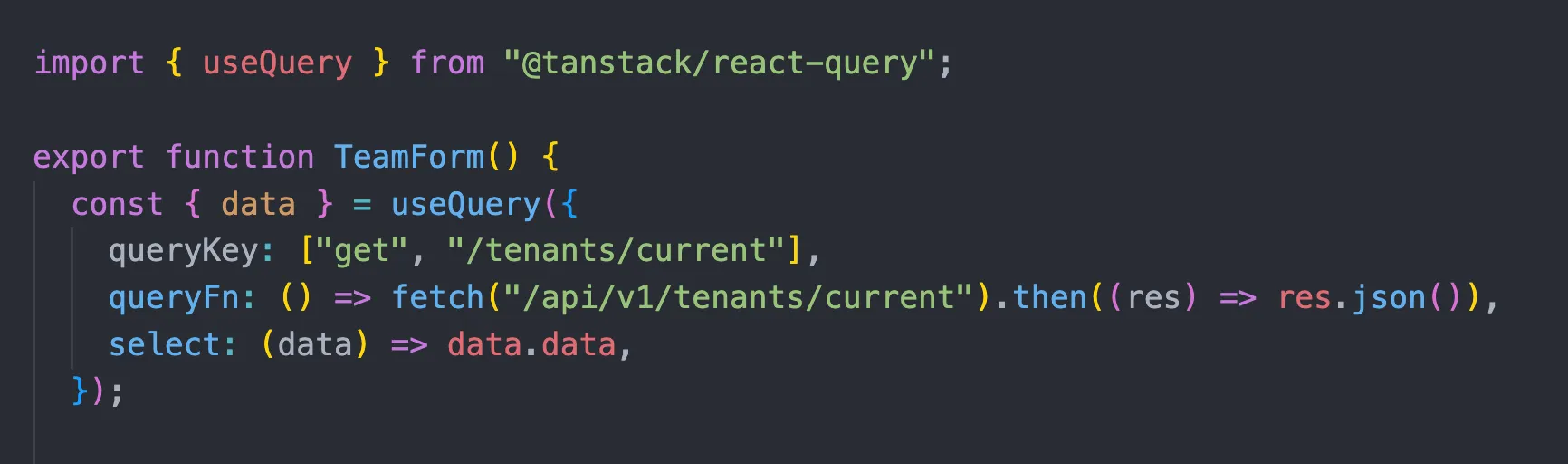
Here I repeated the query key and query function but this what you typically abstract away and share. I have to mention that TanStack Query will dedupe the query calls above and send only one network request, obviously this is important.
Now when I update my team name, TanStack Query provides me with a mutation function with an onSuccess callback where I can invalidate queries globally:

This will force our client to refetch data for the current tenant, keeping everything in sync. However in this particular case we can make it even better, since we already have the exact data we want to update returned by our server so we can simply update the query data in TanStack Query:
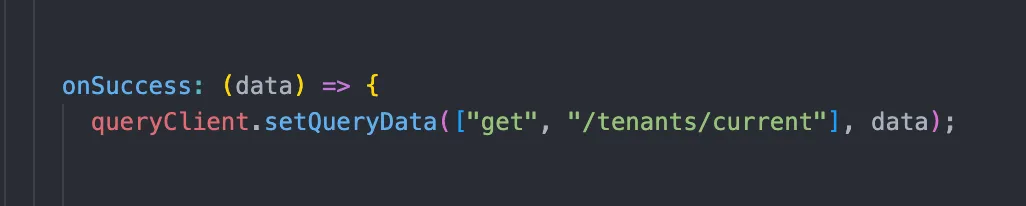
And that’s it, every part of the UI which is requesting this data (effectively subscribing to this data) will be updated and re-rendered!
Obviously there is much more complexity to all of this and this is not an absolute guidance. For client-side heavy apps, state management libraries still have their uses but for apps relying heavily on server state, not so much!
With fewer abstraction layers, your app becomes both easier to reason about and more efficient, what’s not to like?
